Use-after-free in Microsoft Windows Search Component enables local privilege escalation

Note: This data is for reference and cybersecurity research purposes only.CyStack advises users not to use this information for unlawful purposes.

What is CVE-2026-108136?

CVE-2026-108136 is a vulnerability classified as Use After Free, affecting Windows 10 Version 1607 (affected versions: 10.0.14393.0 – < 10.0.14393.9612), Windows 10 Version 1809 (affected versions: 10.0.17763.0 – < 10.0.17763.9376), Windows 10 Version 21H2 (affected versions: 10.0.19044.0 – < 10.0.19044.7807), and 17 more products. This vulnerability is rated High, with a CVSS score of 7.8. Current sources do not report this vulnerability as exploited.

Overview

Original source data

Use after free in Microsoft Windows Search Component allows an authorized attacker to elevate privileges locally.

Affected products and scope

The following versions are marked affected within the recorded version boundaries:

  • Windows 10 Version 1607: 10.0.14393.0 and less than 10.0.14393.9612.
  • Windows 10 Version 1809: 10.0.17763.0 and less than 10.0.17763.9376.
  • Windows 10 Version 21H2: 10.0.19044.0 and less than 10.0.19044.7807.
  • Windows 10 Version 22H2: 10.0.19045.0 and less than 10.0.19045.7807.
  • Windows 11 version 23H2, recorded under both product-name spellings: 10.0.22631.0 and less than 10.0.22631.7652.
  • Windows 11 Version 24H2: 10.0.26100.0 and less than 10.0.26100.9711.
  • Windows 11 Version 25H2: 10.0.26200.0 and less than 10.0.26200.9711.
  • Windows 11 version 26H1: 10.0.28000.0 and less than 10.0.28000.3231.
  • Windows 11 Version 26H2: 10.0.26300.0 and less than 10.0.26300.9711.
  • Windows Server 2012 and Windows Server 2012 Server Core installation: 6.2.9200.0 and less than 6.2.9200.26434.
  • Windows Server 2012 R2 and Windows Server 2012 R2 Server Core installation: 6.3.9600.0 and less than 6.3.9600.23470.
  • Windows Server 2016 and Windows Server 2016 Server Core installation: 10.0.14393.0 and less than 10.0.14393.9612.
  • Windows Server 2019 and Windows Server 2019 Server Core installation: 10.0.17763.0 and less than 10.0.17763.9376.
  • Windows Server 2022: 10.0.20348.0 and less than 10.0.20348.5761.
  • Windows Server 2025 and Windows Server 2025 Server Core installation: 10.0.26100.0 and less than 10.0.26100.33650.

The record does not establish the status of Windows branches outside this list.

Technical details

The flaw is a CWE-416 condition in which Microsoft Windows Search Component continues using memory after that memory has been released. This can create an unsafe memory state and enable execution with higher privileges, but the record does not describe the memory object, function, processing path, or specific input that triggers the flaw. The attacker must have local access and authenticate with low privileges; the supplied assessment indicates that no user interaction is required. The record does not identify the exact Windows Search Component configuration, service, or call sequence that can be abused.

Exploitability

The attack path is local and requires an authorized attacker with low privileges. Attack complexity is assessed as low, and no user interaction is required. The supplied record does not list a public exploit, but it does not fully establish the real-world exploitation status. It also does not designate a ransomware campaign; that is not evidence that exploitation is absent outside the scope of the supplied data.

Technical impact

Successful exploitation could allow an authorized local attacker to elevate privileges on an affected Windows system. The supplied assessment indicates potential impact to confidentiality, integrity, and availability within the same system scope. Technically, the initial low-privilege account could potentially perform actions outside its original authorization, with the affected resources depending on the privileges obtained and system configuration. The record does not confirm remote exploitation, describe a specific code-execution outcome, or provide evidence of an actual incident.

Business impact

  • Unpatched workstations and servers may be exposed if a low-privilege local account can reach the vulnerable component.
  • Privilege escalation could let an attacker perform actions beyond the account's original authorization, potentially affecting system data, configuration, or availability.
  • The operational risk is especially relevant for Windows servers and Server Core systems, where elevated local access may expose important services or resources.
  • The record does not establish a specific breach, data loss, or service interruption.

Remediation

  1. Apply the available Microsoft security update for the deployed Windows branch. The objective is to move the system outside the affected less-than boundary recorded in affected_summary.
  2. Match the update to the installed branch rather than using one threshold for all Windows:
  • Windows 10 Version 1607 and Windows Server 2016: boundary 10.0.14393.9612.
  • Windows 10 Version 1809 and Windows Server 2019: boundary 10.0.17763.9376.
  • Windows 10 Version 21H2: boundary 10.0.19044.7807.
  • Windows 10 Version 22H2: boundary 10.0.19045.7807.
  • Windows 11 Version 23H2: boundary 10.0.22631.7652.
  • Windows 11 Version 24H2: boundary 10.0.26100.9711.
  • Windows 11 Version 25H2 and Version 26H2: boundaries 10.0.26200.9711 and 10.0.26300.9711, respectively.
  • Windows 11 version 26H1: boundary 10.0.28000.3231.
  • Windows Server 2012: boundary 6.2.9200.26434.
  • Windows Server 2012 R2: boundary 6.3.9600.23470.
  • Windows Server 2022: boundary 10.0.20348.5761.
  • Windows Server 2025: boundary 10.0.26100.33650.
  1. Apply the same update process to the corresponding Server Core installations, which are also marked affected.
  2. Verify the OS build on every system after updating and retain deployment evidence in patch management. If immediate patching is not possible, reduce unnecessary local privileges and increase monitoring for privilege escalation activity; the record does not provide a specific temporary mitigation.

Detection

  • Inventory workstations and servers running the Windows branches listed as affected, including Server Core installations.
  • Collect the current OS build and compare it with the lessThan boundaries in affected_summary. Do not treat a system as safe merely because Windows Search is not used frequently.
  • Check deployment status for the corresponding Microsoft update in enterprise patch management, then verify the build again after installation.
  • Review EDR or SIEM telemetry as a precaution for unexpected local privilege changes or suspicious activity involving Windows Search. The record provides no specific IOC, log event, or telemetry pattern.
Sources (7)
Learn more

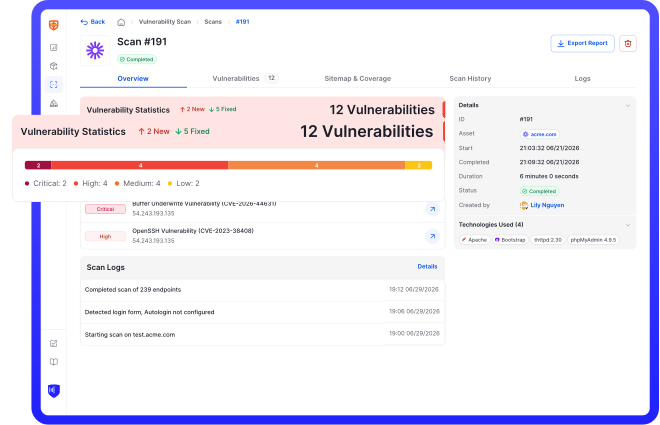
Run an in-depth assessment with complete web risk management

CyStack VulnScan continuously discovers assets, validates vulnerabilities, and helps security teams prioritize remediation across the organization.