CWE-1236: Improper Neutralization of Formula Elements in a CSV File

What is CWE-1236?

CWE-1236 is Improper Neutralization of Formula Elements in a CSV File. The flaw arises when The product saves user-provided information into a Comma-Separated Value (CSV) file, but it does not neutralize or incorrectly neutralizes special elements that could be interpreted as a command when the file is opened by a spreadsheet product. The database currently holds 36 vulnerabilities mapped to CWE-1236 and none of them are in the CISA Known Exploited Vulnerabilities catalog.

OWASP Top 10 Rank-
Related CVES (365 days)36
AbstractionBase
Likelihood of exploit-

Vulnerabilities mapped to CWE-1236

36 vulnerabilities260% increase year over year

No data

No vulnerability data in CISA KEV for CWE-1236

Official definition

ByMitre CWE

The product saves user-provided information into a Comma-Separated Value (CSV) file, but it does not neutralize or incorrectly neutralizes special elements that could be interpreted as a command when the file is opened by a spreadsheet product.

User-provided data is often saved to traditional databases. This data can be exported to a CSV file, which allows users to read the data using spreadsheet software such as Excel, Numbers, or Calc. This software interprets entries beginning with '=' as formulas, which are then executed by the spreadsheet software. The software's formula language often allows methods to access hyperlinks or the local command line, and frequently allows enough characters to invoke an entire script.

Characteristics

Alternate terms

  • CSV Injection
  • Formula Injection
  • Excel Macro Injection

Modes of introduction

  • Implementation: The weakness is in the implementation of a software's CSV export feature, in particular how it formats formula entries as the output gets flattened into a text file.

Common consequences

ImpactScopeExplanation
Read Application Data, Execute Unauthorized Code or CommandsConfidentialityAttackers can populate data fields which, when saved to a CSV file, may attempt information exfiltration or other malicious activity when automatically executed by the spreadsheet software. Note that current versions of Excel warn users of untrusted content.

Risk mitigations

  1. Implementation · Effectiveness: ModerateWhen generating CSV output, ensure that formula-sensitive metacharacters are effectively escaped or removed from all data before storage in the resultant CSV. Risky characters include '=' (equal), '+' (plus), '-' (minus), and '@' (at).Unfortunately, there is no perfect solution, since different spreadsheet products act differently.
  2. Implementation · Effectiveness: ModerateIf a field starts with a formula character, prepend it with a ' (single apostrophe), which prevents Excel from executing the formula.It is not clear how effective this mitigation is with other spreadsheet software.
  3. Architecture and Design · Effectiveness: LimitedCertain implementations of spreadsheet software might disallow formulas from executing if the file is untrusted, or if the file is not authored by the current user.This mitigation has limited effectiveness because it often depends on end users opening spreadsheet software safely.

Detection methods

MethodApproachEffectiveness
Automated Static AnalysisAutomated static analysis, commonly referred to as Static Application Security Testing (SAST), can find some instances of this weakness by analyzing source code (or binary/compiled code) without having to execute it. Typically, this is done by building a model of data flow and control flow, then searching for potentially-vulnerable patterns that connect "sources" (origins of input) with "sinks" (destinations where the data interacts with external components, a lower layer such as the OS, etc.)High

Representative vulnerabilities

Sources (2)

CWE™ Program, operated by The MITRE Corporation. Copyright © 2006–2026, The MITRE Corporation. The MITRE Corporation hereby grants you a non-exclusive, royalty-free license to use CWE for research, development, and commercial purposes. CWE Terms of Use.

Learn more

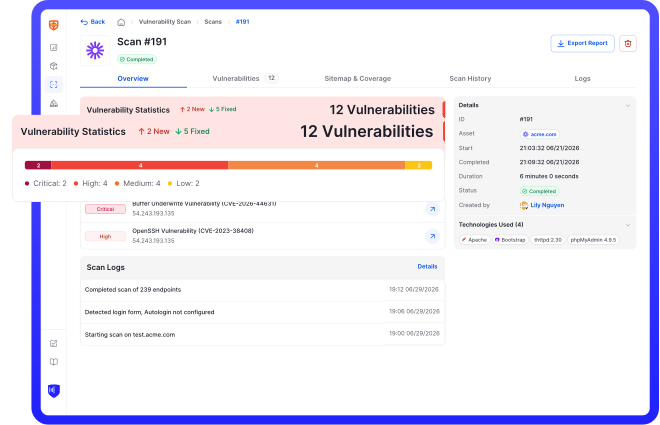
Run an in-depth assessment with complete web risk management

CyStack VulnScan continuously discovers assets, validates vulnerabilities, and helps security teams prioritize remediation across the organization.