Heap-based buffer overflow enables remote code execution in Microsoft Windows Media Foundation

Note: This data is for reference and cybersecurity research purposes only.CyStack advises users not to use this information for unlawful purposes.

What is CVE-2026-96157?

CVE-2026-96157 is a vulnerability classified as Heap-based Buffer Overflow, affecting Windows 10 Version 1607 (affected versions: 10.0.14393.0 – < 10.0.14393.9688), Windows 10 Version 1809 (affected versions: 10.0.17763.0 – < 10.0.17763.9487), Windows 10 Version 21H2 (affected versions: 10.0.19044.0 – < 10.0.19044.7846), and 13 more products. This vulnerability is rated Critical, with a CVSS score of 9.8. Current sources do not report this vulnerability as exploited.

Overview

Original source data

Heap-based buffer overflow in Microsoft Windows Media Foundation allows an unauthorized attacker to execute code over a network.

Affected products and scope

The record marks the following ranges as affected:

  • Windows 10 Version 1607 and Windows Server 2016, including Server Core: from 10.0.14393.0, less than 10.0.14393.9688.
  • Windows 10 Version 1809 and Windows Server 2019, including Server Core: from 10.0.17763.0, less than 10.0.17763.9487.
  • Windows 10 Version 21H2: from 10.0.19044.0, less than 10.0.19044.7846.
  • Windows 10 Version 22H2: from 10.0.19045.0, less than 10.0.19045.7846.
  • Windows 11 Version 23H2, listed under both Windows 11 version 23H2 and Windows 11 Version 23H2: from 10.0.22631.0, less than 10.0.22631.7711.
  • Windows 11 Version 24H2: from 10.0.26100.0, less than 10.0.26100.9974.
  • Windows 11 Version 25H2: from 10.0.26200.0, less than 10.0.26200.9974.
  • Windows 11 version 26H1: from 10.0.28000.0, less than 10.0.28000.3501.
  • Windows 11 Version 26H2: from 10.0.26300.0, less than 10.0.26300.9974.
  • Windows Server 2022: from 10.0.20348.0, less than 10.0.20348.5870.
  • Windows Server 2025 and Windows Server 2025 (Server Core installation): from 10.0.26100.0, less than 10.0.26100.33822.

Branches or configurations not listed should not be treated as unaffected without separate verification.

Technical details

Microsoft Windows Media Foundation contains a heap-based buffer overflow classified as CWE-122. The record states that an unauthorized attacker can reach the flaw over a network without privileges or user interaction. This indicates that a remotely reachable processing path can be triggered, but the input format, endpoint, processing function, and deployment-specific conditions are not identified. The implementation detail that causes incorrect allocation or bounds handling has not been disclosed. The affected scope includes the Windows client, Windows Server, and Server Core branches listed in affected_summary.

Exploitability

The record describes network reachability with low complexity, no privileges required, and no user interaction. The supplied public_exploit field is false, and exploit_prediction_band is low. The known_exploited and ransomware_campaign fields are null, so this record does not establish whether exploitation has occurred in the wild. Microsoft VEX labels exploit code maturity as unproven. No payload, exploit sequence, or specific input condition is confirmed.

Technical impact

Successful exploitation could allow an attacker to execute code in the context of the affected Windows Media Foundation process. The supplied vector describes unchanged scope, so the primary technical consequences are expected on the system processing the malicious data. Potential outcomes include unauthorized access to data available to the process, modification of data, or service disruption, but actual access depends on the target process token and privileges. The record does not establish persistence, privilege escalation, or impact to other systems. Post-exploitation severity should therefore be assessed against each host's role and network exposure.

Business impact

Affected Windows systems with network reachability should be prioritized for patching. Successful exploitation could allow code execution in the context of the affected process, potentially impacting system confidentiality, integrity, and availability. Windows Server and Server Core are included in the affected scope, so both endpoint and server infrastructure may require review. The record does not identify a specific breach, campaign, or victim, so it should not be treated as evidence that a compromise has occurred.

Remediation

  1. Install the Microsoft security update and verify that the installed build reaches the applicable fixed boundary for the deployed branch:
  • Windows 10 Version 1607, Windows Server 2016, and Server Core: 10.0.14393.9688.
  • Windows 10 Version 1809, Windows Server 2019, and Server Core: 10.0.17763.9487.
  • Windows 10 Version 21H2: 10.0.19044.7846.
  • Windows 10 Version 22H2: 10.0.19045.7846.
  • Windows 11 Version 23H2: 10.0.22631.7711.
  • Windows 11 Version 24H2: the affected facts identify 10.0.26100.9974 as the boundary.
  • Windows 11 Version 25H2: 10.0.26200.9974.
  • Windows 11 version 26H1: 10.0.28000.3501.
  • Windows 11 Version 26H2: 10.0.26300.9974.
  • Windows Server 2022: 10.0.20348.5870.
  • Windows Server 2025 and Server Core: 10.0.26100.33822.
  1. For Windows 11 Version 24H2, Version 25H2, and Version 26H2, Microsoft VEX also lists 10.0.26100.9911, 10.0.26200.9911, and 10.0.26300.9911 under other product mappings. Verify the applicable edition and servicing channel before declaring a system fixed; do not expand these entries into an unsupported open-ended range.
  2. For Windows Server 2025, Microsoft VEX also lists 10.0.26100.33730 under another product mapping, while the normalized affected data uses 10.0.26100.33822. Verify the product mapping and update package applicable to the specific system.
  3. After deployment, recheck build inventory and update installation status on both full and Server Core installations. No specific alternative mitigation is confirmed in the record; if patching cannot be completed immediately, reduce unnecessary network reachability under existing defensive policy and complete the update as soon as possible.

Detection

  1. Inventory the edition, operating system build, and cumulative or security update state of Windows client, Windows Server, and Server Core systems.
  2. Compare each host with the affected and fixed branches listed in this record rather than checking only the product name.
  3. Identify systems with network paths that can deliver data to Windows Media Foundation media-processing components; the record does not specify an endpoint or input format.
  4. Use patch-management records and local inventory to confirm that the applicable update installed successfully.
  5. As a precaution, review telemetry for abnormal process or service behavior associated with media processing, but treat this only as supplemental monitoring because no specific IOC or log event is provided. The absence of suspicious telemetry does not prove that a system is safe.
Sources (17)
Learn more

Run an in-depth assessment with complete web risk management

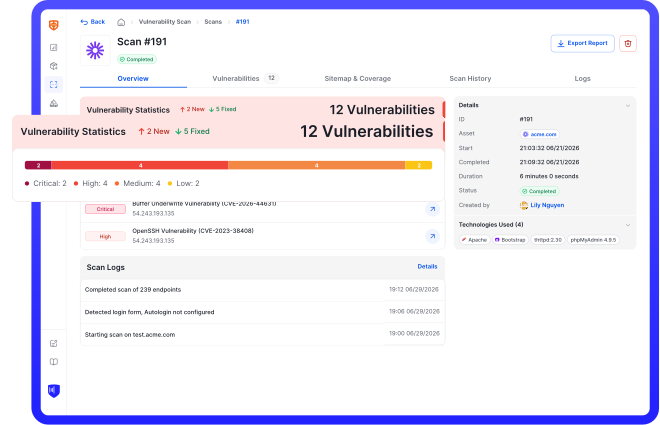
CyStack VulnScan continuously discovers assets, validates vulnerabilities, and helps security teams prioritize remediation across the organization.