RabbitMQ Management stored HTML injection can expose administrator credentials

Note: This data is for reference and cybersecurity research purposes only.CyStack advises users not to use this information for unlawful purposes.

What is CVE-2026-67421?

CVE-2026-67421 is a vulnerability classified as Missing Authorization, affecting rabbitmq-server (affected versions: >= 3.13.0, < 3.13.19, >= 4.0.0, < 4.0.24, and other affected versions). This vulnerability is rated Medium, with a CVSS score of 4.5. Public exploit code or evidence is available for this vulnerability, but that does not confirm exploitation in the wild.

Overview

Original source data

RabbitMQ is a messaging and streaming broker. From 3.13.0 until 3.13.19, 4.0.24, 4.1.15, 4.2.10, and 4.3.5, RabbitMQ Management rendered an AMQP authorization-error reason containing an attacker-controlled queue name as HTML when the OAuth management UI was enabled. Exploitation requires an attacker with queue configure permission, a management administrator who can see but cannot read that queue, and the administrator clicking Get Message(s). A queue name containing a base element can then retarget the automatic relative refresh because the Content Security Policy omits base-uri and connect-src, and an attacker endpoint that permits the management origin through CORS can receive the victim's Authorization header. This issue is fixed in versions 3.13.19, 4.0.24, 4.1.15, 4.2.10, and 4.3.5.

Affected products and scope

Affected RabbitMQ rabbitmq-server release branches are:

  • >= 3.13.0, < 3.13.19. The corresponding fixed release is 3.13.19.
  • >= 4.0.0, < 4.0.24. The corresponding fixed release is 4.0.24.
  • >= 4.1.0, < 4.1.15. The corresponding fixed release is 4.1.15.
  • >= 4.2.0, < 4.2.10. The corresponding fixed release is 4.2.10.
  • >= 4.3.0, < 4.3.5. The corresponding fixed release is 4.3.5.

These boundaries are supported by the record and the vendor advisory. The status of another release branch should not be inferred merely because one branch has a fix.

Technical details

The issue affects the RabbitMQ Management OAuth error path when an attacker-controlled queue name enters an AMQP ACCESS_REFUSED reason. The Get Message(s) handler performs basic.get with the queue name from the route; when the administrator lacks read permission, the denial reason contains the resource name and is returned in a 401 JSON response. The OAuth error branch passes the raw reason to login_oauth.ejs and then inserts it with jQuery .html() instead of using fmt_escape_html, creating stored HTML injection. The default Content Security Policy blocks inline script execution but omits base-uri and connect-src, allowing an injected base element to change the document base URL and retarget the next relative API refresh to an attacker-controlled origin. The refresh request attaches the explicit Authorization header and x-vhost; a CORS endpoint that permits the management origin can receive the request with the victim's credential. The record classifies the weakness as CWE-862, Missing Authorization, while the demonstrated chain primarily depends on unsafe HTML rendering and incomplete CSP restrictions. The public advisory does not establish broker-host code execution or arbitrary file access.

Exploitability

The attack is network reachable but requires several conditions:

  • The attacker needs valid RabbitMQ credentials, configure permission on a vhost, and the ability to declare a queue with an attacker-controlled name.
  • The management plugin and HTTP listener must be available, the OAuth management UI must be enabled, and the victim must be a management administrator who can see the queue but lacks AMQP read permission for it.
  • The administrator must open the queue page and click Get Message(s). The management UI's automatic refresh must remain enabled; the advisory describes the default interval as five seconds.
  • The attacker must operate an HTTP endpoint that permits the management origin through CORS so it can receive the retargeted refresh request.

The attacker needs lower-privileged access than the victim administrator and the exploit requires active user interaction. The public advisory documents a working exploit chain, but successful exploitation remains dependent on the OAuth UI, the queue permission mismatch, victim interaction, and permissive CORS behavior.

Technical impact

A successful chain gives the attacker a Basic or Bearer credential from the management administrator's browser refresh request. The attacker can use that credential for Management API operations within the administrator's tags and authority, including changes to RabbitMQ permissions, configuration, definitions, and resources. This can cause confidentiality, integrity, or availability loss for broker data and services controlled by that account. The attacker does not need administrator privileges initially, but does need RabbitMQ credentials and queue configure permission. The demonstrated impact does not extend to operating-system code execution or arbitrary file access on the broker host.

Business impact

A management administrator's Basic or Bearer credential may be disclosed to the attacker and then used through the Management API with that account's authority. Operational consequences may include:

  • Creating users and changing permissions or tags.
  • Changing policies and runtime parameters, or importing definitions.
  • Reading queues, exchanges, definitions, users, and broker metadata available to the compromised account.
  • Injecting messages, modifying configuration or resources, and deleting queues, exchanges, vhosts, users, or policies.

The resulting impact is bounded by the RabbitMQ management authority of the stolen credential. The advisory does not show that this chain directly executes operating-system commands or reads arbitrary files on the broker host.

Remediation

  1. Upgrade rabbitmq-server to the fixed release for the deployed branch: 3.13.19, 4.0.24, 4.1.15, 4.2.10, or 4.3.5. Preserve the branch-specific mapping and do not treat these values as an open-ended statement about every later release.
  2. If an upgrade is not immediately possible, configure the management CSP to prevent base-element retargeting, including base-uri 'none' alongside the existing directives. The advisory provides the mitigation management.csp.policy = script-src 'self'; object-src 'self'; base-uri 'none'.
  3. Add connect-src with an allowlist containing the management origin and every required OAuth endpoint origin, while rejecting arbitrary destinations. Test the configuration because an overly restrictive connect-src 'self' can break OAuth flows that contact an external identity provider.
  4. Disable the OAuth management UI when it is not required and avoid using highly privileged management sessions for routine queue inspection while remediation is pending. These measures reduce exposure but do not replace the fix.
  5. The vendor code fix escapes every warning at the template sink with fmt_escape_html. CSP should be applied as defense in depth and must not replace output encoding.

Detection

Use the following evidence-backed checks:

  • Inventory instances running rabbitmq-server and determine whether RabbitMQ Management, the OAuth management UI, and the HTTP listener are enabled and reachable.
  • Review queue and exchange names for HTML delimiters or tags such as <base. This is a potential indicator, not proof of exploitation.
  • Search for management API 401 responses associated with queue get operations, especially when followed by cross-origin browser requests.
  • Review unusual CORS preflights requesting the authorization and x-vhost headers.
  • Correlate management API activity from a new source shortly after a queue inspection failure or Get Message(s) action.

Absence of these indicators does not prove that an installation is safe. Use them together with version inventory, OAuth configuration review, and queue permission analysis.

Sources (18)
Learn more

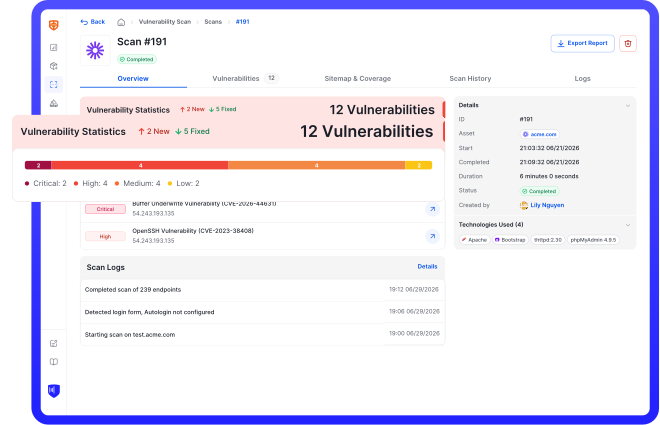
Run an in-depth assessment with complete web risk management

CyStack VulnScan continuously discovers assets, validates vulnerabilities, and helps security teams prioritize remediation across the organization.