Amazon Kiro CLI Exposes Session Data Through Incorrect Default File Permissions

Note: This data is for reference and cybersecurity research purposes only.CyStack advises users not to use this information for unlawful purposes.

What is CVE-2026-124848?

CVE-2026-124848 is a vulnerability classified as Incorrect Default Permissions, affecting Kiro CLI (affected versions: 1.16.0 – < 2.27.0). This vulnerability is rated Medium, with a CVSS score of 6.8. Current sources do not report this vulnerability as exploited.

Overview

Original source data

Incorrect default file permissions in Kiro CLI (formerly Amazon Q Developer CLI) before version 2.27.0 on macOS and Linux might allow other local users on the same host to read a user's session transcripts and prompt history, including any credentials or source code they contain. The CLI created its local session storage files with permissions that made them readable by all local users. To remediate this issue, users should upgrade to Kiro CLI version 2.27.0 or later and launch it once. Users who ran Amazon Q Developer CLI 1.16.0 through 1.19.x should also delete the ~/.aws/amazonq/.cli_bash_history file or restrict it to the owner.

Affected products and scope

  • Amazon Kiro CLI on macOS and Linux: affected from 1.16.0 and less than 2.27.0. The product record sets default_status to unaffected outside the stated affected range.
  • Amazon Q Developer CLI: users who ran releases from 1.16.0 through 1.19.x require separate handling for ~/.aws/amazonq/.cli_bash_history, which may contain sensitive history and should be deleted or restricted to the owner.
  • The available evidence does not establish impact to products or release branches outside these boundaries.

Technical details

Amazon Kiro CLI stores session transcripts, prompt history, model responses, and tool output in local storage with default permissions that allow other accounts on the same host to read the files. This is CWE-276, where default file permissions are not restricted to the owner. The attack requires an account on the local machine running the CLI; the available evidence does not establish a network requirement, user interaction, or specially crafted input. Reading these files can expose credentials or source code when they appear in prompts, responses, or tool output. The record does not specify the exact permission mode, the complete set of session filenames, or the implementation detail that created the overly broad read access.

Exploitability

The supported attack path is local: another user on the same host can open session files created by the CLI with overly permissive read access. The attack has low complexity, requires a local account, and does not require interaction from the user operating the CLI. The issue primarily affects confidentiality; the record does not indicate that the attacker can modify files or disrupt service through this flaw. The supplied record does not identify a public exploit or known exploitation, but that does not prove that unauthorized access has never occurred.

Technical impact

The flaw allows another local account to read data that Kiro CLI stores in session files, including prompts, transcripts, model responses, and tool output. The confirmed technical outcome is loss of confidentiality; the record does not show a direct integrity or availability impact. If the exposed data contains credentials, source code, or internal information, the organization may face secret disclosure, follow-on access risk, or loss of intellectual property. The evidence does not establish whether credentials were used or whether a specific data breach occurred.

Business impact

  • Another local account on the same host may read prompts, session transcripts, model responses, and tool output stored by the CLI.
  • Credentials, source code, and sensitive data present in those records may be disclosed, creating a risk of follow-on access or loss of intellectual property.
  • The supported impact is concentrated on confidentiality of data on affected systems; the record does not show that the flaw directly enables data modification or service disruption.
  • If sensitive credentials are found in files that were broadly readable, the organization should consider assessment and rotation under its secret-handling procedures.

Remediation

  1. Upgrade Amazon Kiro CLI to 2.27.0 or later, then launch the CLI once so existing session files are restricted to the owner.
  2. If the organization maintains forked or derivative code, apply the corresponding permission fixes there.
  3. If an immediate upgrade is not possible, on macOS and Linux restrict the Kiro data directory to the owner with chmod -R go-rwx ~/.kiro, and set umask 077 in the shell before launching the CLI so new files are created owner-only.
  4. Users who ran Amazon Q Developer CLI from 1.16.0 through 1.19.x should delete ~/.aws/amazonq/.cli_bash_history or restrict it to the owner, for example with chmod go-rwx ~/.aws/amazonq/.cli_bash_history.
  5. After remediation, recheck permissions on existing session files and assess whether credentials need rotation if those files contained sensitive secrets.

Detection

  • Inventory macOS and Linux systems that have Amazon Kiro CLI installed, record the running release, and compare it with the affected branch in affected_summary.
  • Inspect permissions on the local storage area under ~/.kiro and confirm that session, transcript, and prompt files are accessible only to their owner.
  • For environments that previously used Amazon Q Developer CLI, check whether ~/.aws/amazonq/.cli_bash_history exists and whether its permissions are owner-only.
  • Review transcript and prompt history for credentials, source code, or other sensitive data that may have been entered into the CLI; finding such data does not prove that the file was read.
  • Local access logs may be reviewed as a precaution, but the record does not provide a specific log event or IOC for this issue.
Sources (10)
Learn more

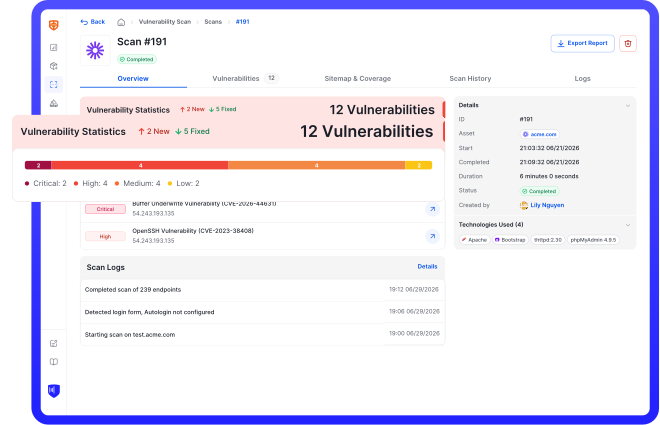
Run an in-depth assessment with complete web risk management

CyStack VulnScan continuously discovers assets, validates vulnerabilities, and helps security teams prioritize remediation across the organization.