Link-following privilege escalation in Gen Digital CCleaner

Note: This data is for reference and cybersecurity research purposes only.CyStack advises users not to use this information for unlawful purposes.

What is CVE-2026-12410?

CVE-2026-12410 is a vulnerability classified as Improper Link Resolution Before File Access, affecting CCleaner (affected versions: < 7.10.1464). This vulnerability is rated High, with a CVSS score of 7.8. Current sources do not report this vulnerability as exploited.

Overview

Original source data

Link following vulnerability in the Uninstaller component in CCleaner prior to 7.10.1464 on Windows allows a local, low-privileged attacker to escalate privileges to SYSTEM via a symlink/junction created during application uninstallation, which CCleaner follows when deleting the application's data folder with elevated integrity.

Affected products and scope

  • Gen Digital CCleaner on Windows: affected from version 0 up to, but not including, 7.10.1464, matching the supplied lessThan: 7.10.1464 condition. The supplied product default_status is unaffected.
  • Fixed release: the supplied solution states that 7.10.1464 and all builds at or above that release include the fix. No other product branch or parallel platform is confirmed by the available evidence.

Technical details

This is a CWE-59 flaw in which the Uninstaller component does not safely resolve a symlink or junction before accessing and deleting data. The attacker-controlled object is a symlink or junction created during application uninstallation. When CCleaner deletes the application's data folder with elevated integrity, it follows the link instead of ensuring that the operation remains within the intended folder. Exploitation requires low-privileged local access and the ability to affect the uninstallation flow. The record does not identify the exact filesystem path, implementation API, or whether a race condition is required, so those details should not be assumed.

Exploitability

The vulnerability is locally reachable on Windows and is not described as a network attack. The attacker needs low local privileges; the record characterizes the attack complexity as low and user interaction as not required. The record marks public exploit as false and does not provide a known-exploited status. No specific exploit, campaign, victim, or intrusion indicator is identified in the available evidence.

Technical impact

The primary technical outcome is escalation from low-privileged local access to SYSTEM on the affected Windows host. This may cause loss of confidentiality, integrity, and availability for data or services on that system. The recorded scope is unchanged, so the available evidence does not establish automatic impact on another system. The attacker must already have local access, but user interaction is not required according to the record's attack characteristics. Persistence, lateral movement, and impact on other hosts are not established by the record.

Business impact

Successful exploitation can elevate activity on the affected Windows host to SYSTEM. With that level of access, an attacker may be able to read protected data, modify system or application state, and affect service availability, depending on what the deletion operation reaches. This is an endpoint compromise risk after local access has been obtained, rather than a network-only attack path. Shared systems and endpoints where untrusted users can run local code should receive priority during exposure review.

Remediation

  1. Upgrade Gen Digital CCleaner on Windows to 7.10.1464 or later. The supplied solution confirms that all builds at or above 7.10.1464 include the fix.
  2. Recheck the installed version after deployment and confirm that no installation remains below 7.10.1464.
  3. If an upgrade cannot be completed immediately, treat installations within the affected range as exposed and prioritize the upgrade. The record provides no separate mitigation that replaces updating.

Detection

  • Inventory Gen Digital CCleaner installations on Windows and record the installed version for each host.
  • Compare inventoried versions with the affected and fixed boundaries in affected_summary, prioritizing systems that remain in the affected branch.
  • Check update deployment status and verify the installed version after remediation rather than relying only on update distribution records.
  • As a precaution, review endpoint telemetry for symlink or junction creation during uninstallation and privileged deletion of application data. This is a defensive review, not a confirmed vendor-provided IOC.
  • No specific log event, log path, or IOC is supplied; the absence of related telemetry does not prove that a host is safe.
Sources (11)
Learn more

Run an in-depth assessment with complete web risk management

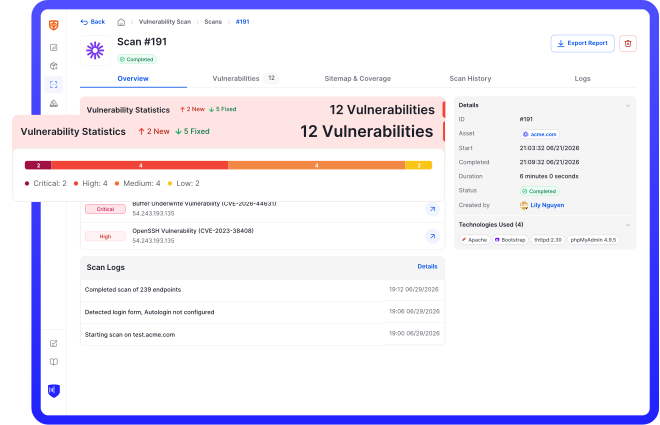
CyStack VulnScan continuously discovers assets, validates vulnerabilities, and helps security teams prioritize remediation across the organization.