Path traversal exposes sibling prerendered pages in Angular SSR

Note: This data is for reference and cybersecurity research purposes only.CyStack advises users not to use this information for unlawful purposes.

What is CVE-2026-104871?

CVE-2026-104871 is a vulnerability classified as Improper Limitation of a Pathname to a Restricted Directory, affecting angular-cli (affected versions: < 20.3.36, >= 21.0.0, < 21.2.23, and other affected versions). This vulnerability is rated Medium, with a CVSS score of 6.3. Current sources do not report this vulnerability as exploited.

Overview

Original source data

The Angular SSR is a server-rise rendering tool for Angular applications. Prior to versions 20.3.36, 21.2.23, and 22.1.7, the CommonEngine retrieveSSGPage prerendered-page retrieval logic in @angular/ssr/node, and in @angular/ssr for versions 17 through 18, accepts a relative request URL containing a backslash parent-traversal segment on Windows. The non-special resolve:// URL base preserves the backslash, path.join interprets it as a Windows separator, and the pagePath.startsWith(normalize(publicPath)) check incorrectly accepts a sibling output directory whose name shares the configured public-directory prefix. An unauthenticated requester can therefore retrieve a sibling prerendered HTML page when that page contains the Angular SSG marker. The issue is limited to Windows deployments that pass relative request URLs to CommonEngine.render, have a prefix-sharing sibling output directory, and contain qualifying prerendered Angular HTML; it does not provide arbitrary file read. This issue is fixed in versions 20.3.36, 21.2.23, and 22.1.7.

Affected products and scope

  • @angular/ssr and the CommonEngine logic are affected in >= 22.0.0, < 22.1.7.
  • The >= 21.0.0, < 21.2.23 branch is affected.
  • The >= 20.0.0, < 20.3.36 branch is affected.
  • The vendor advisory also identifies <= 19.2.27 as affected and states that this unsupported range will not be patched. This includes the version 17 through version 18 scope named in the normalized record.
  • The deployment conditions still apply: Windows hosting, CommonEngine, relative request URLs, a prefix-sharing sibling directory, and prerendered HTML containing the Angular SSG marker.

Technical details

The flaw is in the retrieveSSGPage logic of CommonEngine, in @angular/ssr/node and earlier versions of @angular/ssr. When an application passes an attacker-controlled relative URL to CommonEngine.render, the URL can contain a backslash parent-traversal segment on Windows.

The relevant sequence is:

  1. The non-special resolve:// URL base preserves the backslash in the pathname.
  2. On Windows, path.join treats the backslash as a path separator, allowing the constructed path to move from publicPath into a sibling directory.
  3. The pagePath.startsWith(normalize(publicPath)) check performs a prefix comparison without requiring a trailing directory separator. A sibling directory whose name begins with the configured public-directory prefix can therefore pass the check.
  4. If the target file exists and contains the Angular SSG marker, CommonEngine reads and returns that prerendered page instead of rendering the requested route.

The required deployment conditions are Windows hosting, use of CommonEngine, a relative request URL, a prefix-sharing sibling output directory, and qualifying prerendered HTML containing the Angular SSG marker. The exact route layout and page content of an individual application are not established by the available evidence.

Exploitability

The issue is reachable over the network by an unauthenticated requester and does not require user interaction. Exploitation depends on specific deployment conditions: the application must run on Windows, pass a relative URL to CommonEngine.render, expose a suitable prefix-sharing sibling output directory, and contain a qualifying prerendered HTML page.

The request handling does not require high complexity once those conditions exist, but the target-specific deployment requirements are necessary. The supplied evidence does not establish observed exploitation, and the record does not mark a public exploit as available. That does not prove that exploitation has never occurred.

Technical impact

  • The technical outcome is unauthorized access to prerendered HTML in a sibling output directory whose name shares the configured publicPath prefix.
  • The requester does not need an account or existing privileges and does not need another user's interaction, but the required Windows deployment and output-directory conditions must be present.
  • The mechanism serves only HTML that matches the Angular SSG marker. It does not provide arbitrary access to non-Angular files, secrets, or configuration files that lack the required SSG context.
  • The available evidence does not indicate integrity loss, availability impact, privilege escalation, or code execution. The primary organisational consequence is disclosure of application or build-output content that was not intended to be public.

Business impact

  • An unauthenticated requester may access prerendered HTML from an adjacent application or build output when the sibling directory has the required name prefix.
  • If that sibling output contains internal pages, such as an administration interface or restricted application content, information rendered into those pages could be disclosed.
  • The evidence supports a confidentiality impact, but does not show file modification, code execution, or service disruption.
  • Exposure is limited by Windows hosting, URL handling, directory naming, and the presence of the Angular SSG marker; not every Angular SSR deployment is affected.

Remediation

  1. Upgrade within the affected branch to a confirmed fixed release: 22.1.7, 21.2.23, or 20.3.36. Do not infer the status of other branches from a fix in one branch.
  2. If running <= 19.2.27, move to a supported branch and apply its corresponding fixed release because this range is end of support and will not receive a patch.
  3. Until the update is deployed, Windows applications that still use CommonEngine should sanitize request URLs before passing them to CommonEngine.render by replacing backslashes or by constructing an absolute HTTP URL.
  4. Consider migrating from deprecated CommonEngine to AngularNodeAppEngine, as recommended by the vendor, to use manifest-based route matching instead of direct filesystem path resolution.
  5. After remediation, recheck version inventory, publicPath, output-directory layout, and request handling to confirm that the exposure conditions are no longer present.

Detection

  • Inventory Windows servers running Angular SSR and identify applications that use @angular/ssr/node, @angular/ssr, or CommonEngine.
  • Review server code, especially server.ts and HTTP adapters, for req.url or req.originalUrl being passed as a relative URL to CommonEngine.render.
  • Inspect publicPath and the output-directory layout for sibling directories whose names share the configured public-directory prefix.
  • Identify sibling directories containing prerendered HTML with the Angular SSG marker. This confirms an exposure condition, not that unauthorized access occurred.
  • As a precaution, review request logs for backslash-based parent-traversal sequences and correlate them with responses that returned prerendered pages. No specific IOC or log event is established by the available evidence.
Sources (13)
Learn more

Run an in-depth assessment with complete web risk management

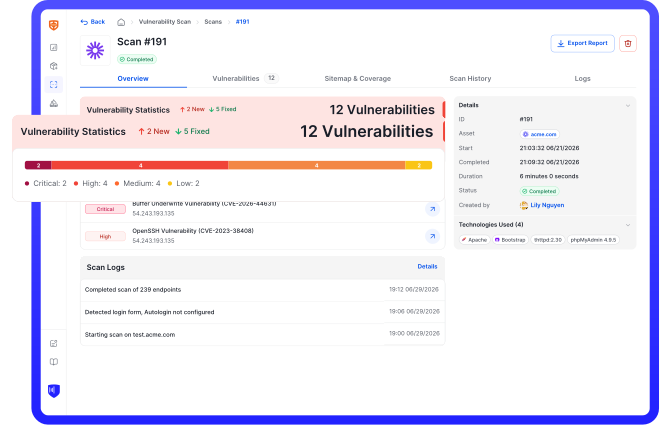
CyStack VulnScan continuously discovers assets, validates vulnerabilities, and helps security teams prioritize remediation across the organization.